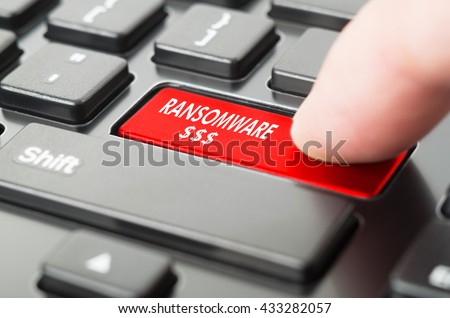
Ransomware is such a big threat these days; it seems to be looming around every corner on the Internet. While most types of malware are downloaded to the computer or another device directly, some of the newer forms are hiding in shortcuts. This is quite an exciting development, as it also increases the chances of doing significant damage to an infected machine.
Email attachments remain the most common way to spread ransomware to as many computer users as possible. Whether it is in the form of a PDF or infected zip file, users are very prone to downloading these files regardless. Once the files are opened, the malware goes to work and starts encrypting data on the machine.
Another popular method is by infecting JavaScript files with a ransomware payload. While these files may seem very innocent on the outside, they are far from harmless text files. Very few people are aware of how JavaScript files are full programs which can execute a wide variety of commands on a computer.
As if those concerns were not worrisome enough, a new distribution method for ransomware is making the rounds on a global scale. The so-called LNK files, which appear as random shortcuts on the user’s computer, have been used by malware developers for quite some time now. It is also virtually impossible to distinguish between legitimate and malicious shortcuts, as they almost look the same.
But there is more, as developers can set up these LNK files to show up with misleading names, unrelated icons, or to even run any command. In some cases, that command may include obtaining a ransomware payload and executing it. Unless the user specifically browses the properties of a particular shortcut, he or she will never discover its true meaning.
For now, security researchers are unsure as to which types of ransomware would be distributed through shortcut files. Users can take some precautions, though, such as showing file extensions in Windows and staying clear of unsolicited email attachments. In fact, not clicking on LNK files delivered by email may be the best course of action in general. Enterprises may want to block mailed LNK files through their overall mail server settings as well.
Image credit 1
If you liked this article follow us on Twitter @themerklenews and make sure to subscribe to our newsletter to receive the latest bitcoin and altcoin price analysis and the latest cryptocurrency news.
A crucial development is taking place at the intersection of legacy finance and blockchain as…
Morgan Stanley is taking a big step into digital assets space with the launch of…
Coinbase is about to undergo one of its largest structural reorganisations in some time, with…
The suspicious DSJ Exchange (DSJEX) and BG Wealth Sharing scheme, now confirmed a Ponzi operation,…
Demand from institutions is heating up again, with U.S. spot Bitcoin ETFs logging a tally…
Western Union expands its participation in the digital asset ecosystem with USDPT, a Solana native…